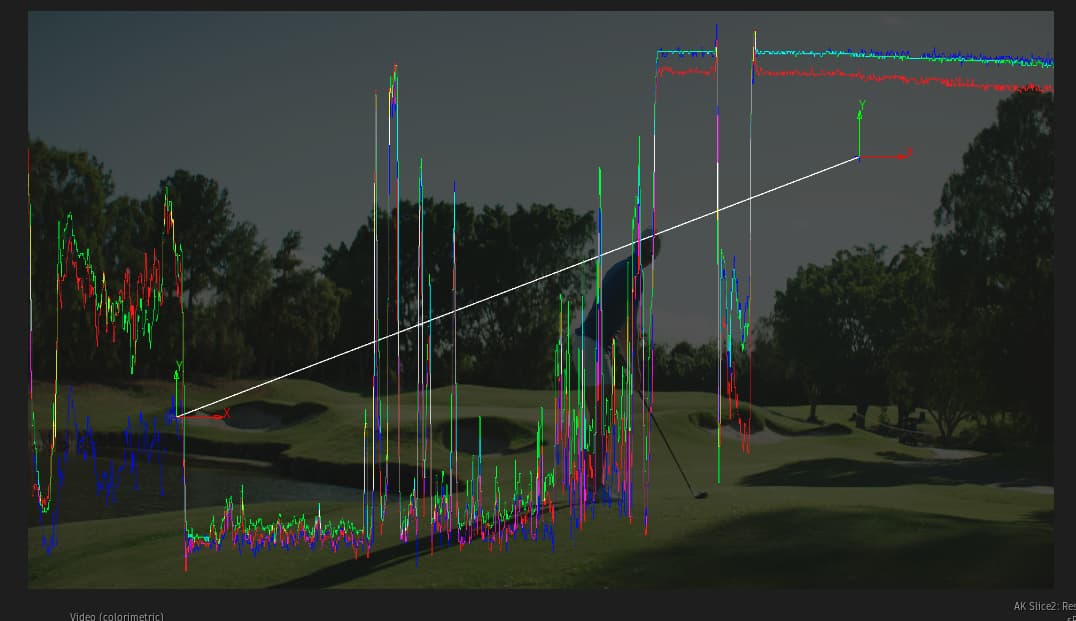
Inspired by the new edition of ‘Digital Compositing’ by Steve Wright from NAB and @Sinan, here’s a Flame implementation of the Slice Tool:
It plots an RGB waveform trace based on a line you place onto the image. Intended use is to see pixels in keys and comp edges more clearly.
The waveform trace follows the line horizontally but is scaled to the width of the image to automatically provide magnification on short lines.
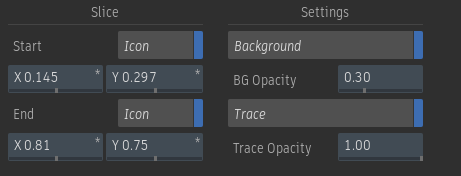
Some options to change opacity of elements.
Now on logik-matchbook as ak_slice. Should sync to the Logik Portal overnight.
Feedback and bug reports welcome.
Thanks for this Jan! Was chatting about this recently and I understand how it works, but I’d love a real-world example of how its used when comping.
Don’t have a perfect a-ha example. So not sure if the below really answers your question:
One way I’ve used it:
When comping in GFX/CGI running the slice tool across the area you can observe if the CG is too clean. Live action footage has a certain amount of jitter in the slice read-out. Too clean a CG is pretty even as expected. So you could use it to judge how big the difference is, and if any effort to harmonize is working.
Two examples from the book:
pp 131 - inspecting the green channel before/after despill operations
pp 113 - inspecting the results of filter operations
Generally, watching an operator in action, or details that are otherwise hard to make out visually.
I’ve used slice tools to:
- check the evenness of a greenscreen…
- matching/unwinding vignettes…
- matching/unwinding lens shading…
- as a diagnostic tool on a ramp for exploring various color ops to see how they bend the curve.