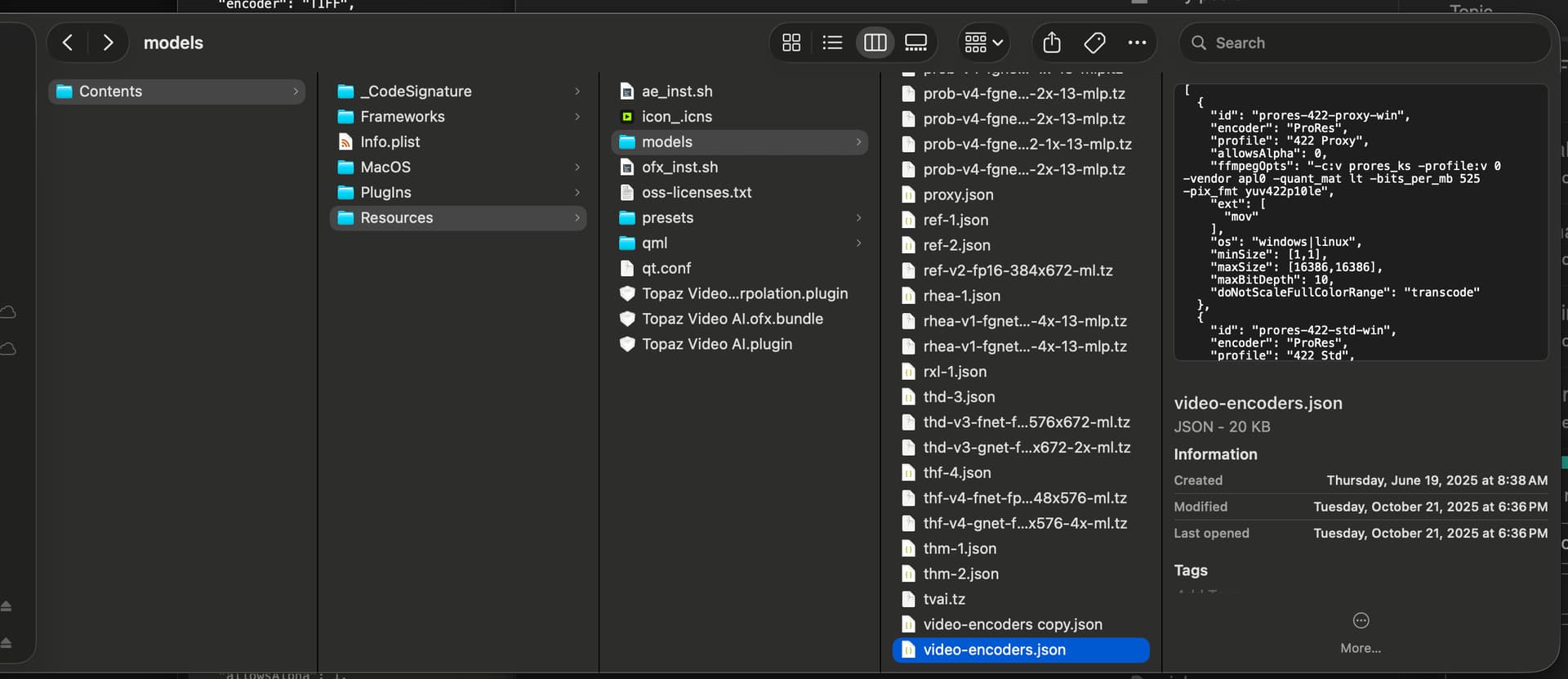
I’ve edited the “video-encoders.json” file to be able to export 32bit or 16bit compressed EXR’s.
A nice thing is that modifying this adds “Bit depth” as a menu option into the export/save menu.
This is using ZIPS compression as Topaz has it’s own version of ffmeg which does not include PIZ, DWAB/A.
Although it may be possible to modify the ffmpeg it ships with. Time permitting I might try that.
File is located by right clicking the app in the Applications folder and selecting “show package contents” then go here:
/Applications/Topaz Video AI.app/Contents/Resources/models
And here’s the modified version of the EXR entry that Topaz can interpret correctly:
{
“id”: “exr”,
“encoder”: “EXR”,
“allowsAlpha”: 1,
“ffmpegOpts”: “-c:v exr -compression 2 -format float -pix_fmt gbrapf32le -q:v 2”,
“ext”: [
“exr”
],
“isImage”: true
},
{
“id”: “exr-16bit-half”,
“encoder”: “EXR”,
“profile”: “16-bit float”,
“allowsAlpha”: 1,
“ffmpegOpts”: “-c:v exr -compression 2 -format half -pix_fmt rgbaf16le -q:v 2”,
“ext”: [“exr”],
“isImage”: true
},
{
“id”: “exr-32bit-float”,
“encoder”: “EXR”,
“profile”: “32-bit float”,
“allowsAlpha”: 1,
“ffmpegOpts”: “-c:v exr -compression 2 -format float -pix_fmt gbrapf32le -q:v 2”,
“ext”: [“exr”],
“isImage”: true
},