You got a lot of responses with constructive ideas… poo-poo’d them and left. You’re not going to find the answer you’re looking for.
I quite like this workflow. However, I have come a cropper with what seems to be a bug possibly. If you save the reel group in the library (perhaps in a desktop, can’t recall exactly) and you accidentally double tap a master in the library it is possible for flame to get confused and you end up working on the master in the library. I know that sounds quite vague but I have done it and it’s been quite annoying. I haven’t reported it and I suppose protect from editing would prevent it. I mention it now because your post reminded me.
But I still prefer smoke pre AE for desktop WISYWIG.
I’m going to go out on a limb and say this. I think there’s a focus issue.
If you double click on an open sequence in the media panel, the viewer updates to show that sequence and the timeline switches to that sequence as it becomes highlighted in the media panel.
By contrast, if you double click on a non-open sequence, the viewer updates to show that sequence, it becomes highlighted in the media panel but the timeline stays in record mode rather than switching to source.
I dislike this inconsistency and it has caught me out more than once. If specifically update the clip selection with a double click and the viewer updates then the timeline should follow suit.
You forgot to mention i also got abuse from YTF (Why The Fuck) for no reason, just like that, claiming im talking bollux. How would you like that ?, .did’nt exactly set the tone or made me feel im part of a community. This is more of a lick ass club, …Flame deserves better
This: "YTF probably wishes he invented the idea with Hbomb  " is bollux. @randy I suggest we close and remove this thread. Although in hindsight, I have apparently earned my first e.moji.
@jones this is your final warning. If you cannot keep your posts and language professional then I’ll close your account.
Laughing emoji means, friendly joke you dick! everybody knows that!, your just trying to get out of it your exposed rude, and creepy! aptitude, but dont worry, im sure you will succeed I as your part of the lick ass club and you have many brothers here, so don’t worry if this post stays, it warns others, before they post something, and you might bite their fingers off, and make them look bad
You know what, most of you are right, who needs to know where your edit is at a glance, I hear Resolve doesn’t do it either, haha what a crazy idea, fuck it! there are many ways around it why should flame be better,… bla bla bla, bs.
No worries Randy I wont be back in a hurry, you can kick me off, its your loss.
Also, to be clear, if he used Horizontal Reels I’d have given him one more chance. And if he used Smoke Hotkeys, well, I may have given him two.
Tough but fair.
I think the core idea of having the possibility to display the Timeline of both a Source and a Sequence is still relevant as there are many modifications you can apply to a source that are only accessible through the Timeline.
That being said, there are a lot of good suggestions in this thread. I will keep them in mind for future developments.
To answer some more specific comments:
The way I understand Jones comment about seeing at a glance where the current Sequence is located inside the Media Panel is that he would like an indication in the Hierarchy. It does make sense to me. I am not sure it would be easy to implemented since there can be colour coding for basically all elements of the Media Panel, but we could do something similar to what we are doing in the Animation hierarchy and have the arrows red or green to show you the path to the Source and Sequence.
@cnoellert There is no double click on the source, only on the sequence. Double-clicking gives you the impression that the source is opened in the Player, but a single-click will do. We could however make it that a double-click opens the Source Timeline.
@johnag What about adding Export… to the Timeline tab’s contextual menu? Could that diminish the chances of exporting the wrong clip?
@ everybody Would you rather have fewer, longer tabs (so you can see more characters for the name) or more tabs with the same length as today?
As they are, but an ability to alt-tap the tab the way you can with a desktop clip to get the full name would help me a lot.
There’s also my brilliant feature request for “clip nicknames” which would allow you to keep the edit named with whatever crazy data it needs to have, but would allow for an internal “nickname” like “edit30a” or something else that is visually short but significant.
Might I humbly suggest a third more controversial option, where tabs shrink, safari-like, as they are added?

I also like the alt-tap or perhaps just alt-hover to see full names.
I usually alt click the player window to see a name. However, I did always like the name field above the timeline in the old smoke. Don’t know if there’s the space to reinstate this.
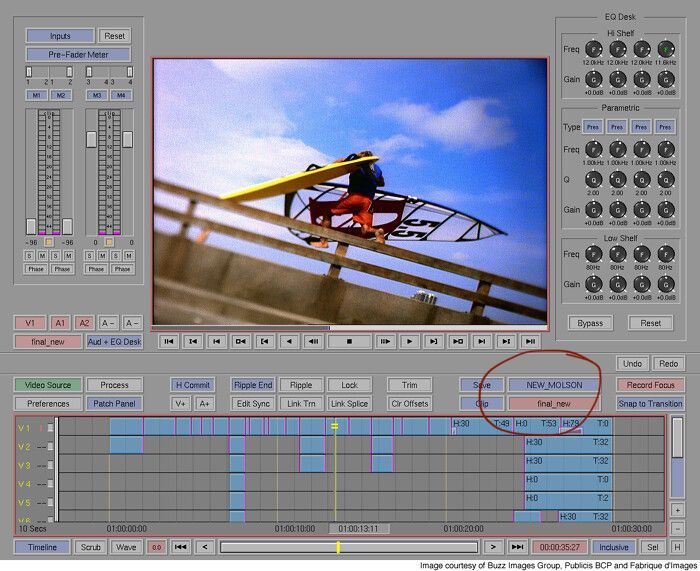
I’m not that fond of the tabs. I can see how others find merit in them though. However, as I have mentioned in other posts, I would really prize the ability to gang together the order of edits in the library reel view, desktop reel view, F3 view and tabs. It spins me out when the edits are in different orders in the different views.
PS Ripple start was really handy.
One way around that is to turn on protect editing clips in library.
I so like this idea. Please add a feature request and I’ll upvote it